HackTown
Cyber Criminal University - Home

You are not logged in. You will only be able to access the courses in GREEN from the course list.
Chapter 8 - Anonymous Crypto
Bitcoin (BTC), Monero (XMR), Zcash, cash, and pre-paid credit cards purchased with cash are the best options to use when purchasing items when it comes to staying anonymous. Since BTC is the most commonly used cryptocurrency it's always good to have some that's completely anonymous for you to use freely when needed.
It's important to purchase and deposit BTC the most anonymous way possible as we know the blockchain is a public ledger therefore, theoretically, it can be tracked if you're not careful especially if you're using cryptocurrency exchanges to cash out your winnings. We want to avoid our transactions from being tracked for obvious reasons. Purchasing BTC will vary from person to person depending which country you reside in and some methods may not work for everyone.
You should never trust any third party to store your BTC so don't keep them in an online wallet for long if you have to. It's most best to use an offline wallet
https://localbitcoins.com recently stopped in person cash buying/selling of BTC as of June 1, 2019 and this method is no longer viable which is annoying but honestly it doesn't matter. Google "BTC ATMs" or go to https://coinatmradar.com and see if there are any BTC ATMs in your area you can use to purchase BTC with cash. Simply follow the directions on the ATM and buy BTC with cash it's not that difficult. You'll need a BTC wallet either on your tablet or mobile device but most wallets are very straight forward and can be downloaded from Google Play or the App Store. You can also check good old craigslist.org to meet-up in person to buy BTC for cash.
If you'd rather purchase BTC online from a cryptocurrency exchange be aware it might take a few days to register and be approved depending on which exchange you use. Some exchanges to check out are:
https://www.bitstamp.net
https://www.coinbase.com
https://www.coinmama.com
https://www.kraken.com
There are so many exchanges these days so pick whichever one you feel comfortable with:
https://bitcoin.org/en/exchanges#international
Using cryptocurrency exchangers is all legit and legal so don't flip your lid about registering because you're not committing a crime. You're simply purchasing an asset and nothing about that is illegal.
Using exchanges to buy and sell cryptocurrencies does present an OPSec problem as most online exchangers require you to register with your real information. Giving out your REAL information for anything is always a problem surrounding criminal/hacking activities. I know that doesn't sound great however we're going to use the latest technology to help "wash" our coins and stay anonymous so no need to overly stress out about this shit. If you don't purchase BTC from a BTC ATM, craigslist, etc. then you'll need to purchase BTC from an online exchange with whichever method you prefer (PayPal, bank account, credit card, etc.).
Once you have some BTC we'll "wash" your BTC and exchange it for Monero (XMR) and then exchange your XMR back into BTC again.
Converting your BTC into XMR, sending that XMR to another XMR address, and then converting back into BTC again will cut the connection to you making your crypto completely anonymous to spend on whatever your heart desires (heroin and crack most likely). This will also give you the ability to convert that tainted BTC into clean BTC making it untraceable. It's also recommended to use this method each time you plan on cashing out whatever crypto currency you're dealing with.
For example, you made $1000 in BTC from infecting people with ransomware or you're a vendor and want to cash out the BTC you've made then you'll want to convert that BTC into XMR, send the XMR to another XMR wallet you control, and convert back again into BTC (or whatever cryptocurrency) before "cashing out". We want to ensure your hard earned crypto is completely anonymous and safe to put into your account if you choose to do so. Once converted into XMR you can consider it "washed" and technically untraceable.
Monero (XMR) was designed specifically with privacy in mind and is not traceable as of today. Unsure of what XMR is? Use Google or watch a YouTube video about it.
Alright it's assumed you have some BTC to be converted.
You'll first need to create a Monero (XMR) wallet and the easiest way of doing this is to download Cake Wallet.
https://cakewallet.com
Converting BTC into XMR
Once you have a Monero wallet then you want to convert your BTC to XMR, and back into BTC if you require clean BTC, by utilizing the following sites:
https://www.morphtoken.com
https://changenow.io
https://changelly.com
https://cakewallet.com

Some members have reported having issues when using changenow and changelly with being asked to go through KYC once they sent their coins to get exchanged. I have yet to confirm this 100% so if you're using those services keep it <500 USD an exchange is my advice to you.
Once you have your BTC that you consider safe you'll want to use a wallet on your computer or an online wallet (https://blockchain.info).
If you're using Whonix or Tails the Electrum Bitcoin Wallet is already installed by default for you.
Setting up Electrum BTC wallet in Whonix-Workstation VM
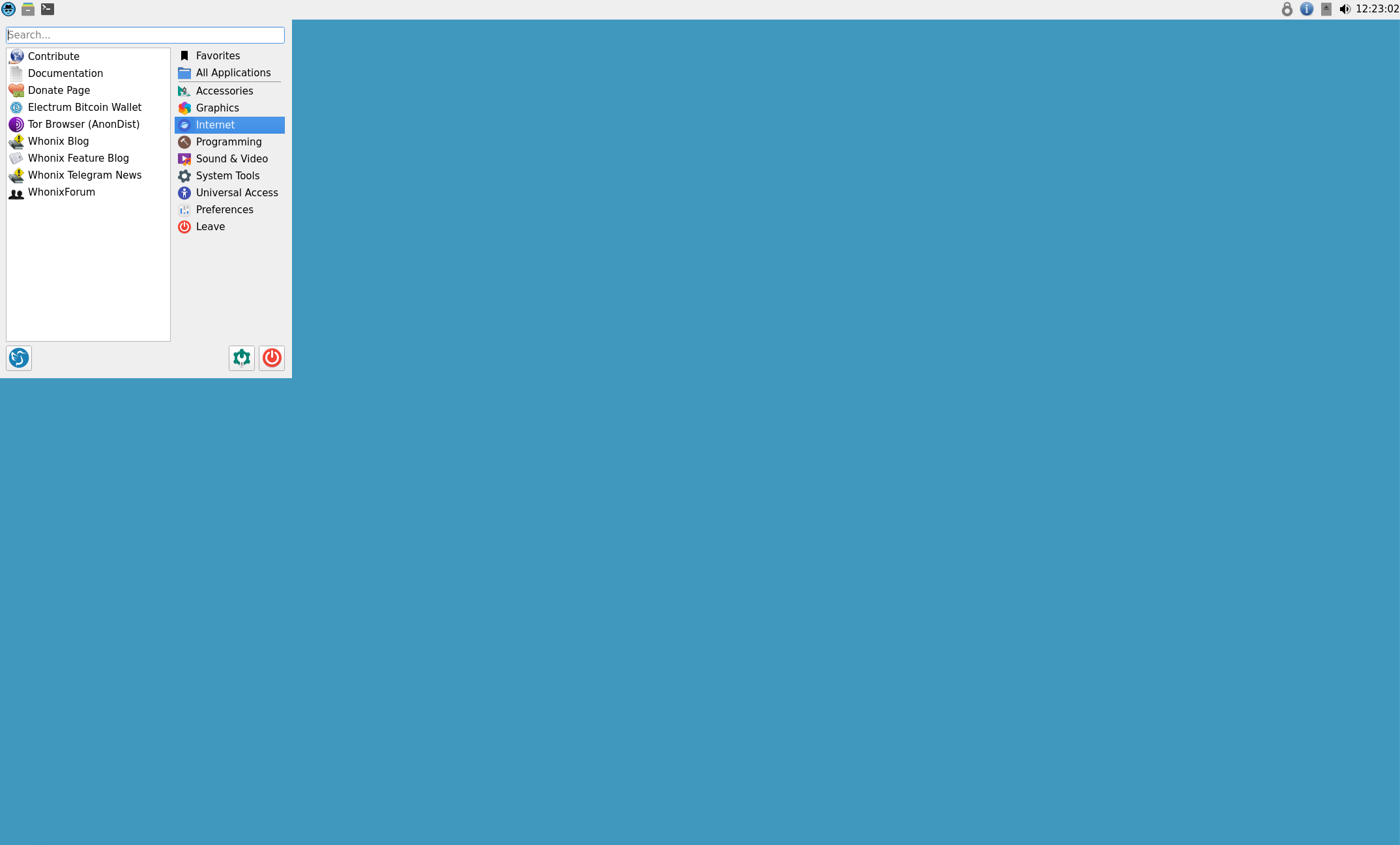
Click on the "Apps" in the top left hand of your Whonix-Workstation VM then "Internet" and click on "Electrum Bitcoin Wallet"
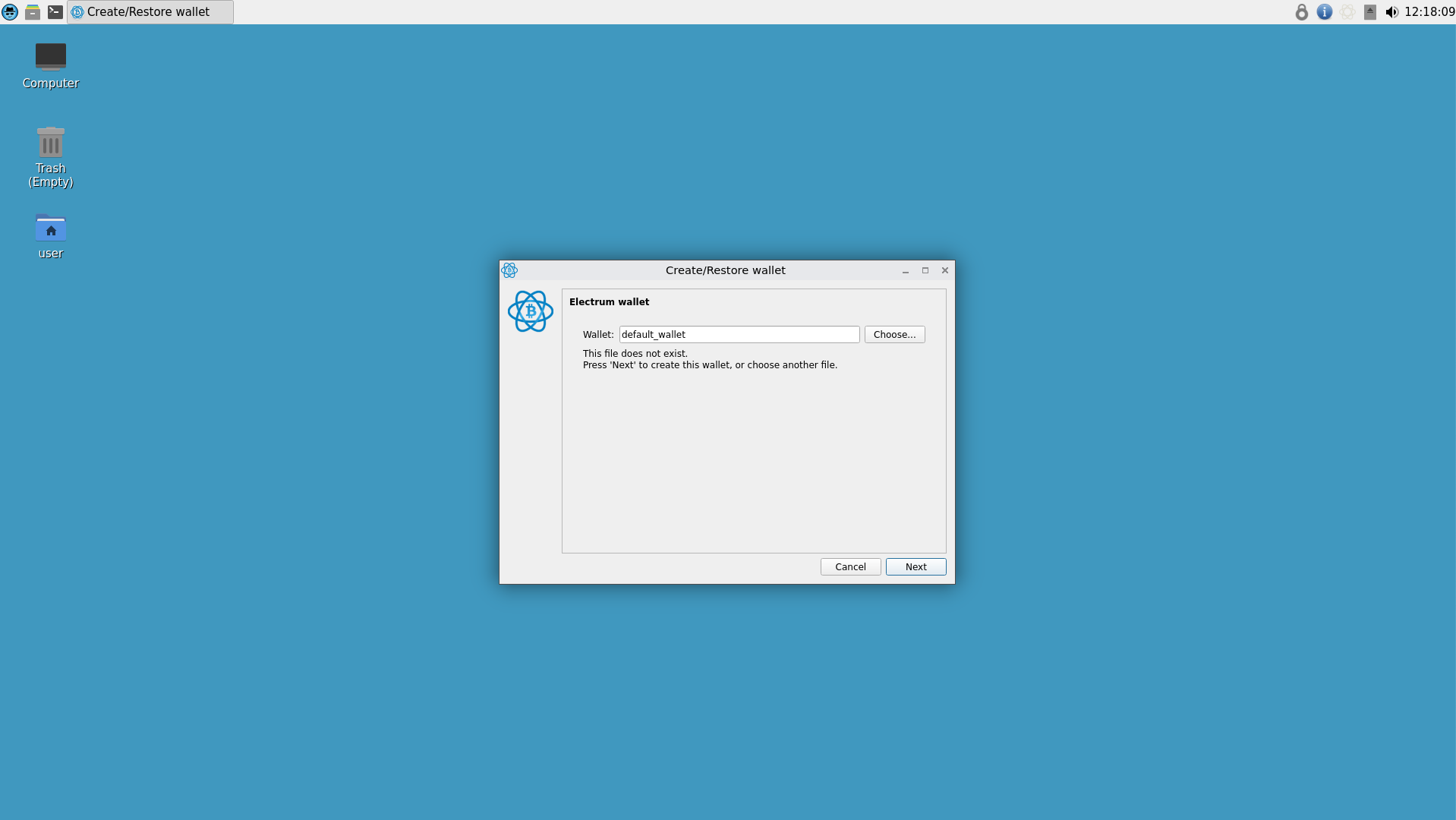
Click "Next" and leave the default name of the wallet alone for now then click "Next" again.
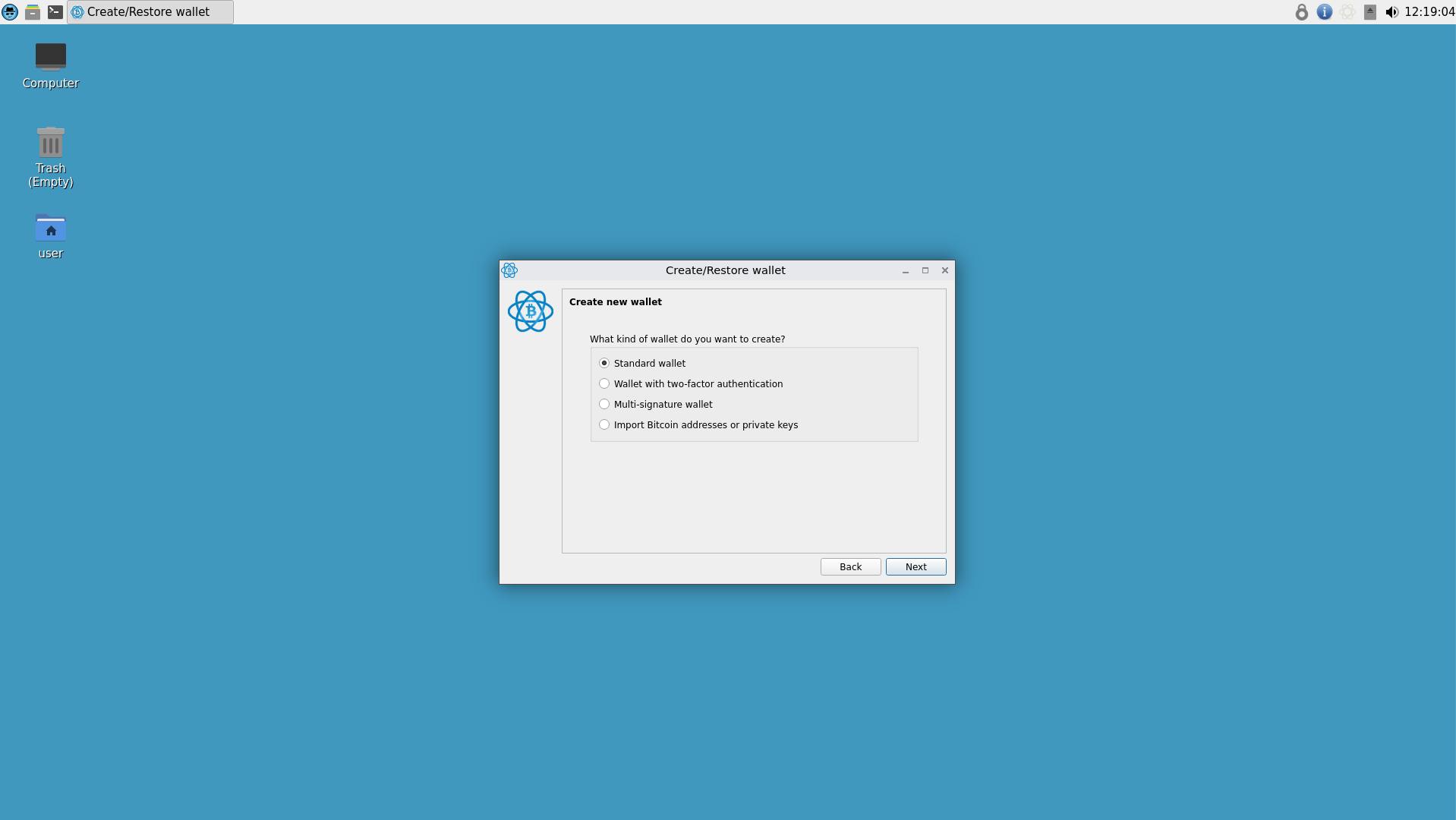
Select "Standard Wallet" then "Create a new seed" and click "Next".
You'll be presented your wallet seed and it's important to write that down or store it in KeePassXC to keep it safe. This way you can restore your Electrum wallet with that seed should your shit get corrupted.
Go through the prompts and enter a password needed to access your Electrum wallet.
Once you've set everything up it will look similar to the screenshot below.
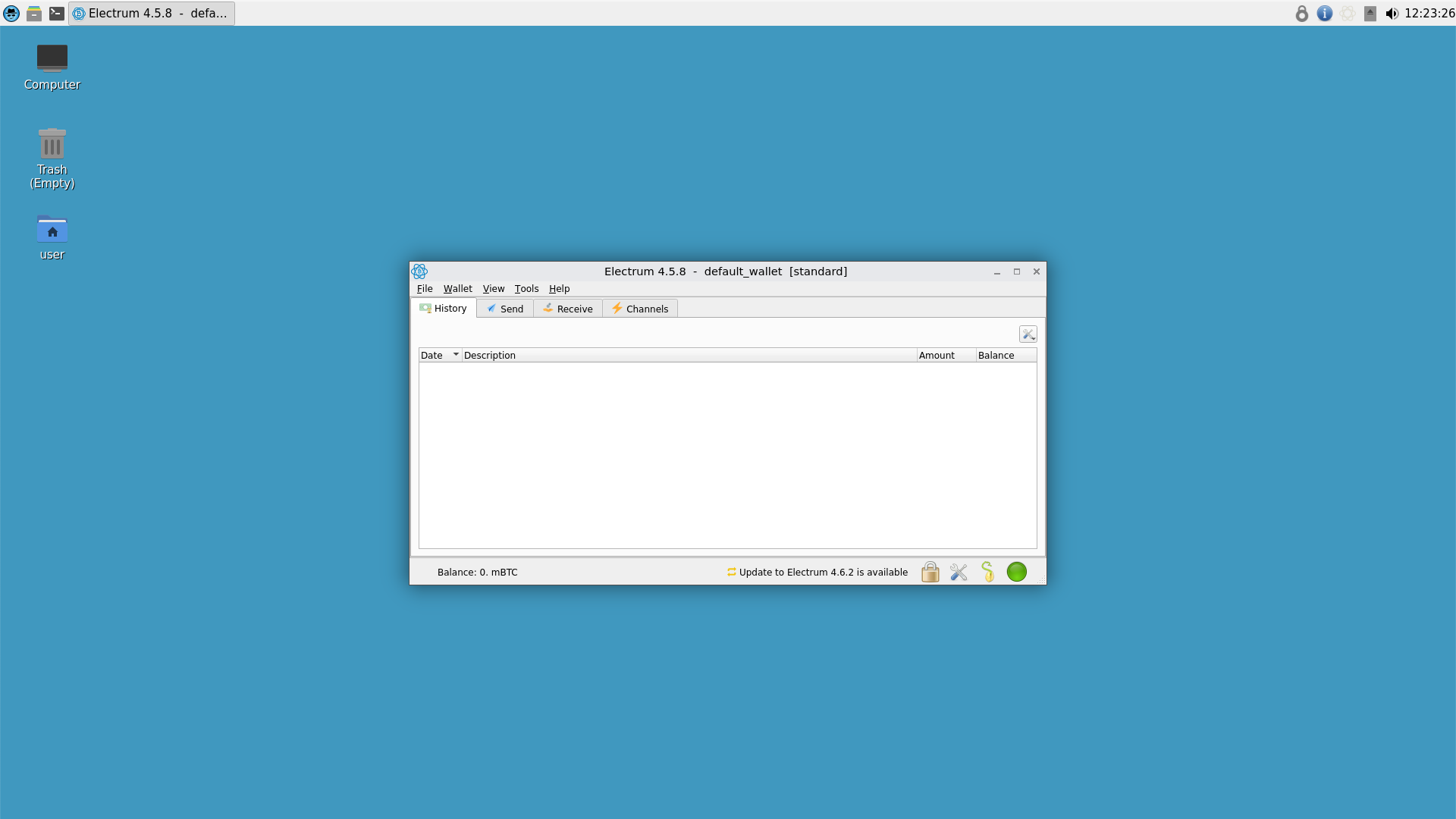
You can now send and receive BTC to your anonymous wallet that's routed through Tor in your Whonix VM.
We can treat this wallet as fully anonymous and use it accordingly. Awesome mother fuckers!
Setting up Electrum BTC wallet in Tails OS
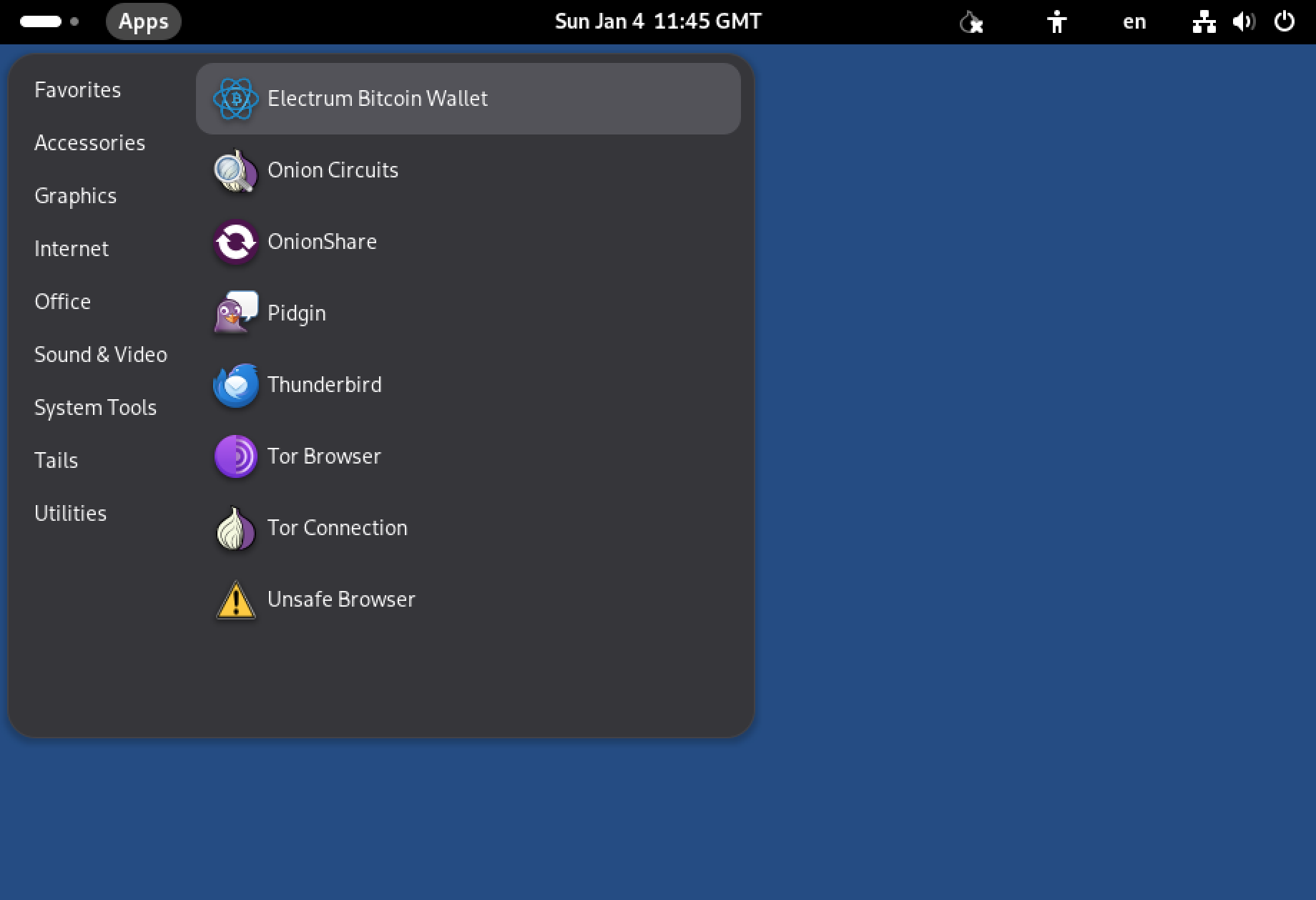
Click on "Apps" in the top left-hand corner of your screen then click "Internet" and then "Electrum Bitcoin Wallet".
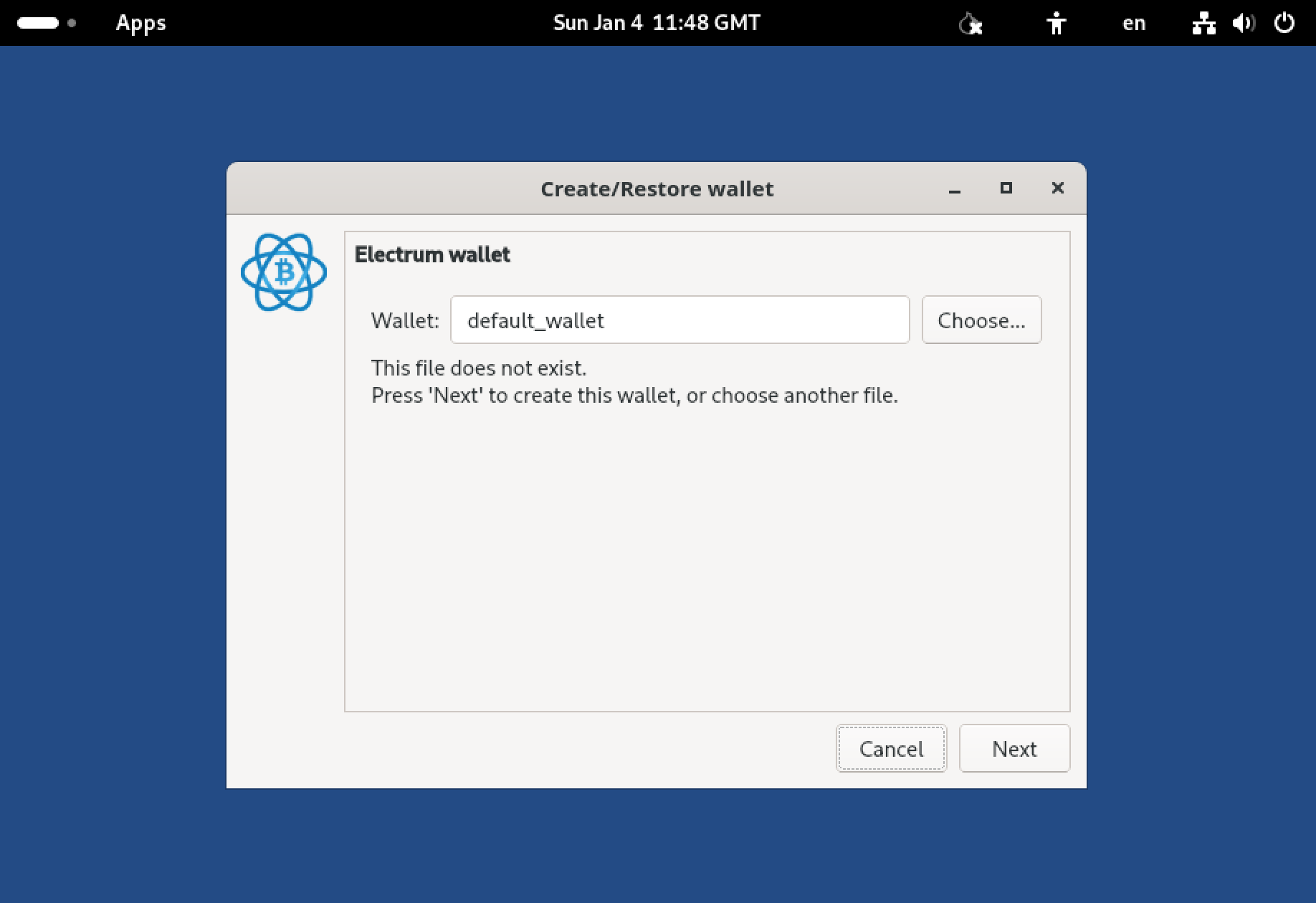
Click "Next" and leave the default name of the wallet alone for now then click "Next".
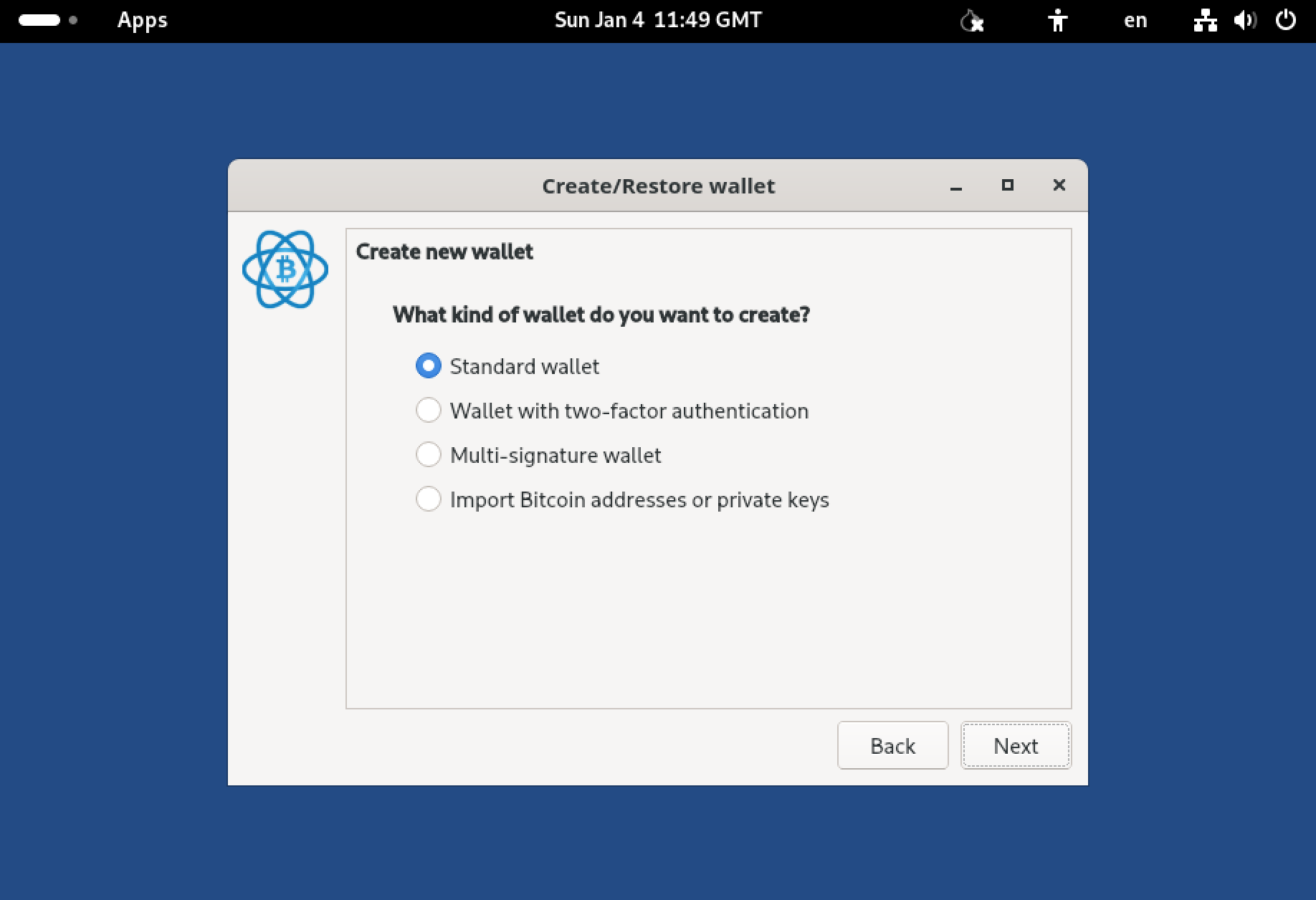
Select "Standard Wallet" then "Create a new seed" and click "Next".
You'll be presented your wallet seed and it,s important to write that down or store it in KeePassXC to keep it safe. This way you can restore your Electrum wallet with that seed should your shit get corrupted.
Go through the prompts and enter a password needed to access your Electrum wallet.
Once you've set everything up it will look similar to the screenshot below.
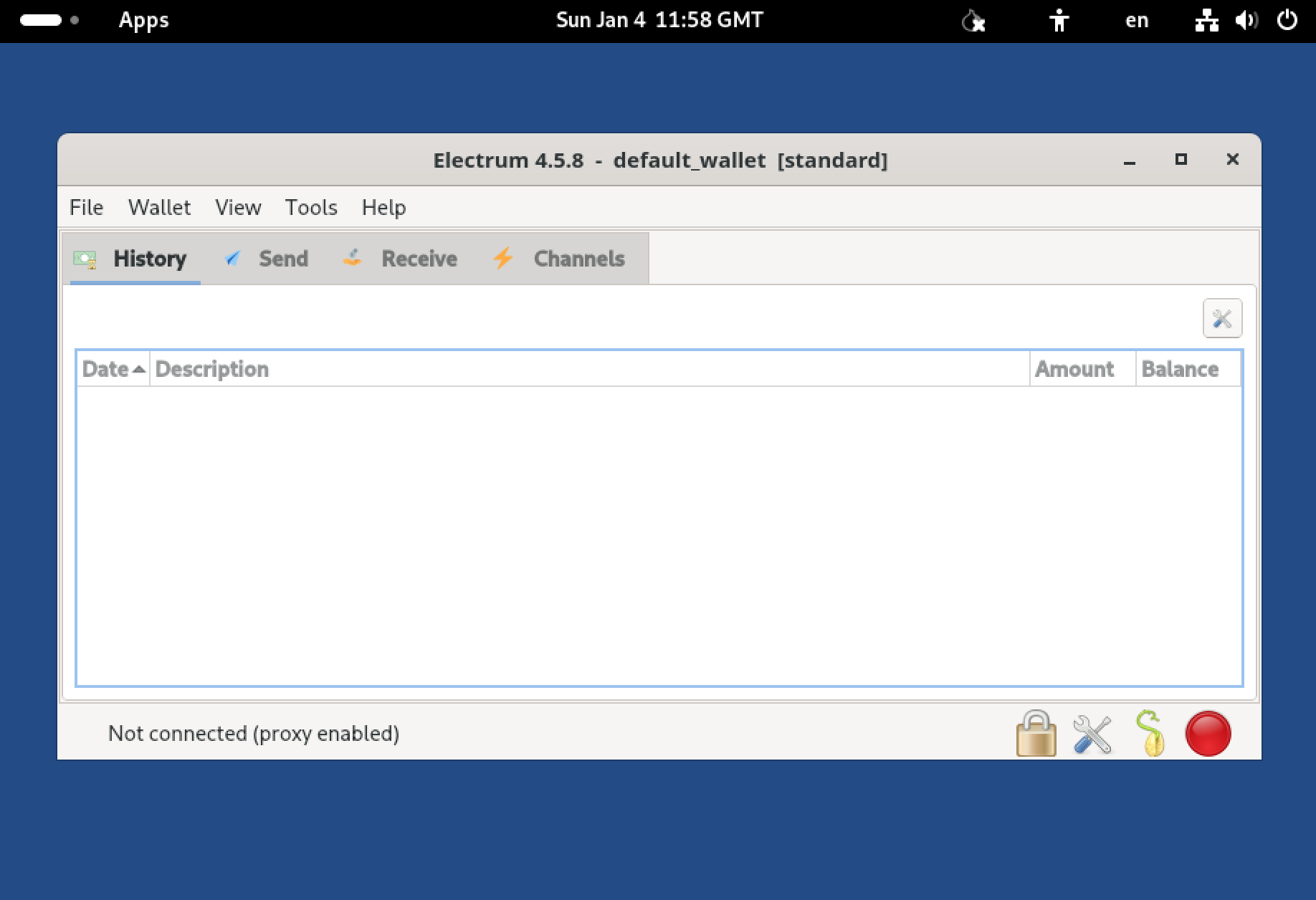
You can now send and receive BTC to your anonymous wallet that's routed through Tor in Tails. Awesome mother fuckers!
If you're using Whonix or Tails and want to have a Monero (XMR) wallet then we need to take some other steps.
It's recommended to sync the XMR blockchain with "./monerod" on your host machine first since syncing the blockchain over Tor will take a thousand years. Once you've done that you can enable a shared folder on your Whonix-Workstation and move the blockchain file over and run "./monerod" on your Whonix-Workstation. For those who are confused the XMR blockchain is stored in your home folder under ".bitmonero/lmdb". It'll save you a fuck ton of time!
Now that you have your wallets setup to run through Tor you can feel secure when sending/receiving BTC and since we converted our original purchased BTC into XMR and back again we can feel confident the BTC we've converted is anonymous and secure to spend it as we please.